
How to share and save your results from the free calculators
A calculator is most useful when you can take the answer with you: into an email, a meeting or a client conversation. Here is how to do that with the free FlowPilot Hub calculators, and what happens to your numbers when you do.
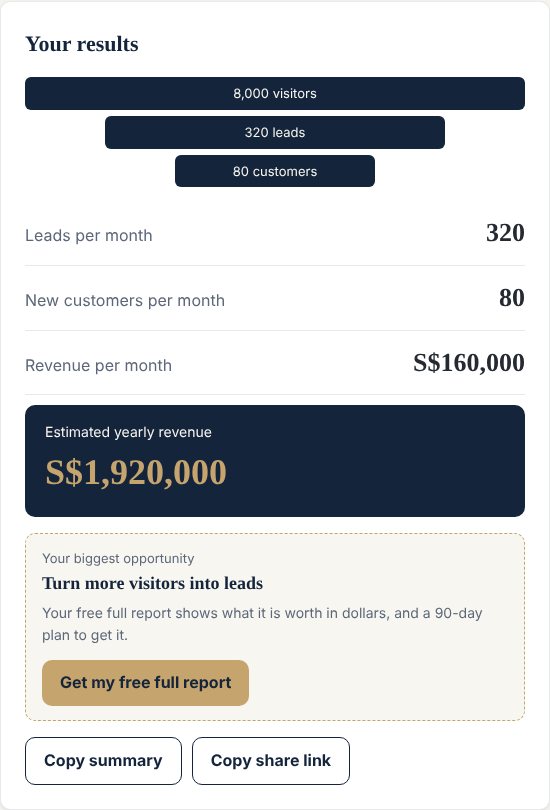
Copy a summary
LeadFlow, RateFlow and ScopeFlow each have a Copy summary button that puts your results on the clipboard as text, ready to paste into an email or a message.
Share a link
Copy share link gives you a web address that reopens the calculator with exactly your numbers filled in. The numbers travel in the part of the link after the # sign, which browsers do not send to the website's server. Anyone you give the link to can read them, so share it only with people who should see your figures.
Save a PDF
Once you unlock the full report with your email, use the print button and choose Save as PDF. The report is laid out for printing.
Quotes and change requests
QuoteFlow can copy your quote as a formatted table to paste into an email, or open a ready-written email in your own mail app. ScopeFlow's change-request calculator has a button that copies a short, ready-written note for the stakeholder.
What stays in your browser
You can use every calculator without an account, and your numbers stay in your browser. They are only sent when you ask for a full report: then we receive your email, your name if you give it, your answers and the key figures, so we can produce the report. The page also keeps a small flag in your browser so a report stays unlocked after a refresh. You can read the details in each calculator's terms and in our privacy policy.
Pick a calculator and try it: LeadFlow, RateFlow, QuoteFlow or ScopeFlow.